> ## Documentation Index
> Fetch the complete documentation index at: https://docs.agentsdr.ai/llms.txt
> Use this file to discover all available pages before exploring further.
# Get help
> Where to ask a question, report a bug, suggest a feature or report a security problem, and what to include so it gets fixed fast.
AgentSDR is open source and maintained in public on GitHub. Each kind of request has its own place, so it reaches the right person and the next person with the same problem can find the answer.
How do I…? Is this expected? Help with setup. Answered in GitHub Discussions.
Something is broken or behaves differently from these docs.
A change or addition you'd like. Early ideas can start in Discussions → Ideas.
Privately, never in a public issue or discussion.
## From inside AgentSDR
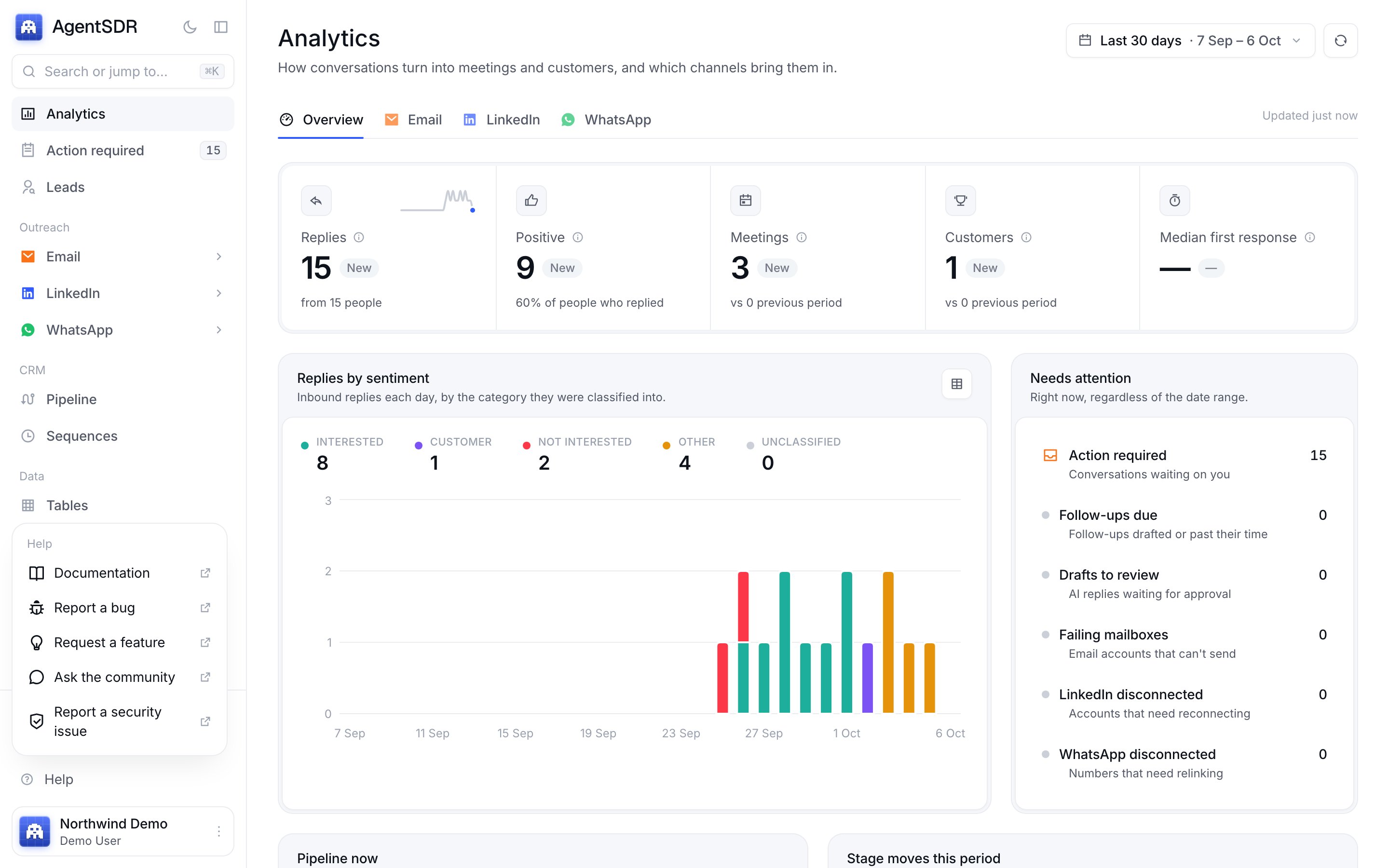
Open **Help** in the sidebar. It links to these docs, the bug and feature forms, Discussions and private security reporting. **Report a bug** fills in the version you are running, so you don't have to look it up.
 ## Before you ask
Use the search at the top of this page. Setup problems are usually covered in [Self-hosting troubleshooting](/self-hosting/troubleshooting) or the Troubleshooting section of the integration's guide.
Look through [issues](https://github.com/Kandid-ai/AgentSDR/issues?q=is%3Aissue) (open and closed) and [Discussions](https://github.com/Kandid-ai/AgentSDR/discussions). If someone has already reported it, add a 👍 or your details there instead of opening a new one.
Issues and discussions are public. Before you paste logs, `.env` lines or screenshots, take out API keys, passwords, database URLs, and your leads' names, emails and phone numbers.
## What makes a bug report easy to fix
The bug form asks for each of these:
* **Version or commit.** The version from **Help → Report a bug** is filled in for you. On a source install, `git rev-parse --short HEAD` gives the commit.
* **How you run AgentSDR:** Docker Compose, from source, or local development.
* **Steps to reproduce,** what you expected, and what happened instead.
* **Log lines** from around the failure: `docker compose logs app --tail 200` on Docker Compose, or your process manager's output on a source install.
* **The area,** for example email, LinkedIn, WhatsApp, Tables or self-hosting.
A report someone else can reproduce in five minutes gets fixed first. If you can, try it on a fresh install with the demo data (`bun run db:seed:demo`, see [Development](/development)).
## Security problems
Don't describe a vulnerability in an issue, a discussion or a pull request. Report it privately through [GitHub private vulnerability reporting](https://github.com/Kandid-ai/AgentSDR/security/advisories/new). Only the maintainers can see the report. Include the affected version, the component, and the steps to reproduce. The full policy is in [SECURITY.md](https://github.com/Kandid-ai/AgentSDR/blob/main/SECURITY.md).
If you notice a credential or personal data posted in public by mistake, report it the same way so a maintainer can remove it.
## What happens after you report
1. A maintainer reads every new issue. It starts with the `needs-triage` label, which comes off once someone has looked at it.
2. If something is missing, they'll ask for it in the issue. Reports that stay incomplete may be closed.
3. A confirmed bug gets the `bug` label. Small, well-defined ones may be labelled `good first issue` for new contributors.
4. When a fix lands, the issue closes automatically and the fix is listed in the [changelog](https://github.com/Kandid-ai/AgentSDR/blob/main/CHANGELOG.md) of the release that includes it. Update your install to get it ([Upgrading](/self-hosting/production)).
AgentSDR is maintained by a small team. A first reply within about five working days is the goal, not a guarantee.
## Contribute a fix
If you'd like to fix it yourself, start with [Development](/development) for local setup and conventions, then read [CONTRIBUTING.md](https://github.com/Kandid-ai/AgentSDR/blob/main/CONTRIBUTING.md). Issues labelled [`good first issue`](https://github.com/Kandid-ai/AgentSDR/labels/good%20first%20issue) are a good place to start.
This documentation is built and hosted on [Mintlify](https://mintlify.com), a developer documentation platform.
## Before you ask
Use the search at the top of this page. Setup problems are usually covered in [Self-hosting troubleshooting](/self-hosting/troubleshooting) or the Troubleshooting section of the integration's guide.
Look through [issues](https://github.com/Kandid-ai/AgentSDR/issues?q=is%3Aissue) (open and closed) and [Discussions](https://github.com/Kandid-ai/AgentSDR/discussions). If someone has already reported it, add a 👍 or your details there instead of opening a new one.
Issues and discussions are public. Before you paste logs, `.env` lines or screenshots, take out API keys, passwords, database URLs, and your leads' names, emails and phone numbers.
## What makes a bug report easy to fix
The bug form asks for each of these:
* **Version or commit.** The version from **Help → Report a bug** is filled in for you. On a source install, `git rev-parse --short HEAD` gives the commit.
* **How you run AgentSDR:** Docker Compose, from source, or local development.
* **Steps to reproduce,** what you expected, and what happened instead.
* **Log lines** from around the failure: `docker compose logs app --tail 200` on Docker Compose, or your process manager's output on a source install.
* **The area,** for example email, LinkedIn, WhatsApp, Tables or self-hosting.
A report someone else can reproduce in five minutes gets fixed first. If you can, try it on a fresh install with the demo data (`bun run db:seed:demo`, see [Development](/development)).
## Security problems
Don't describe a vulnerability in an issue, a discussion or a pull request. Report it privately through [GitHub private vulnerability reporting](https://github.com/Kandid-ai/AgentSDR/security/advisories/new). Only the maintainers can see the report. Include the affected version, the component, and the steps to reproduce. The full policy is in [SECURITY.md](https://github.com/Kandid-ai/AgentSDR/blob/main/SECURITY.md).
If you notice a credential or personal data posted in public by mistake, report it the same way so a maintainer can remove it.
## What happens after you report
1. A maintainer reads every new issue. It starts with the `needs-triage` label, which comes off once someone has looked at it.
2. If something is missing, they'll ask for it in the issue. Reports that stay incomplete may be closed.
3. A confirmed bug gets the `bug` label. Small, well-defined ones may be labelled `good first issue` for new contributors.
4. When a fix lands, the issue closes automatically and the fix is listed in the [changelog](https://github.com/Kandid-ai/AgentSDR/blob/main/CHANGELOG.md) of the release that includes it. Update your install to get it ([Upgrading](/self-hosting/production)).
AgentSDR is maintained by a small team. A first reply within about five working days is the goal, not a guarantee.
## Contribute a fix
If you'd like to fix it yourself, start with [Development](/development) for local setup and conventions, then read [CONTRIBUTING.md](https://github.com/Kandid-ai/AgentSDR/blob/main/CONTRIBUTING.md). Issues labelled [`good first issue`](https://github.com/Kandid-ai/AgentSDR/labels/good%20first%20issue) are a good place to start.
This documentation is built and hosted on [Mintlify](https://mintlify.com), a developer documentation platform.