> ## Documentation Index
> Fetch the complete documentation index at: https://docs.agentsdr.ai/llms.txt
> Use this file to discover all available pages before exploring further.
# Introduction
> AgentSDR is an open-source, self-hosted AI SDR: find leads, reach them on email, LinkedIn and WhatsApp, and work every reply from one place.
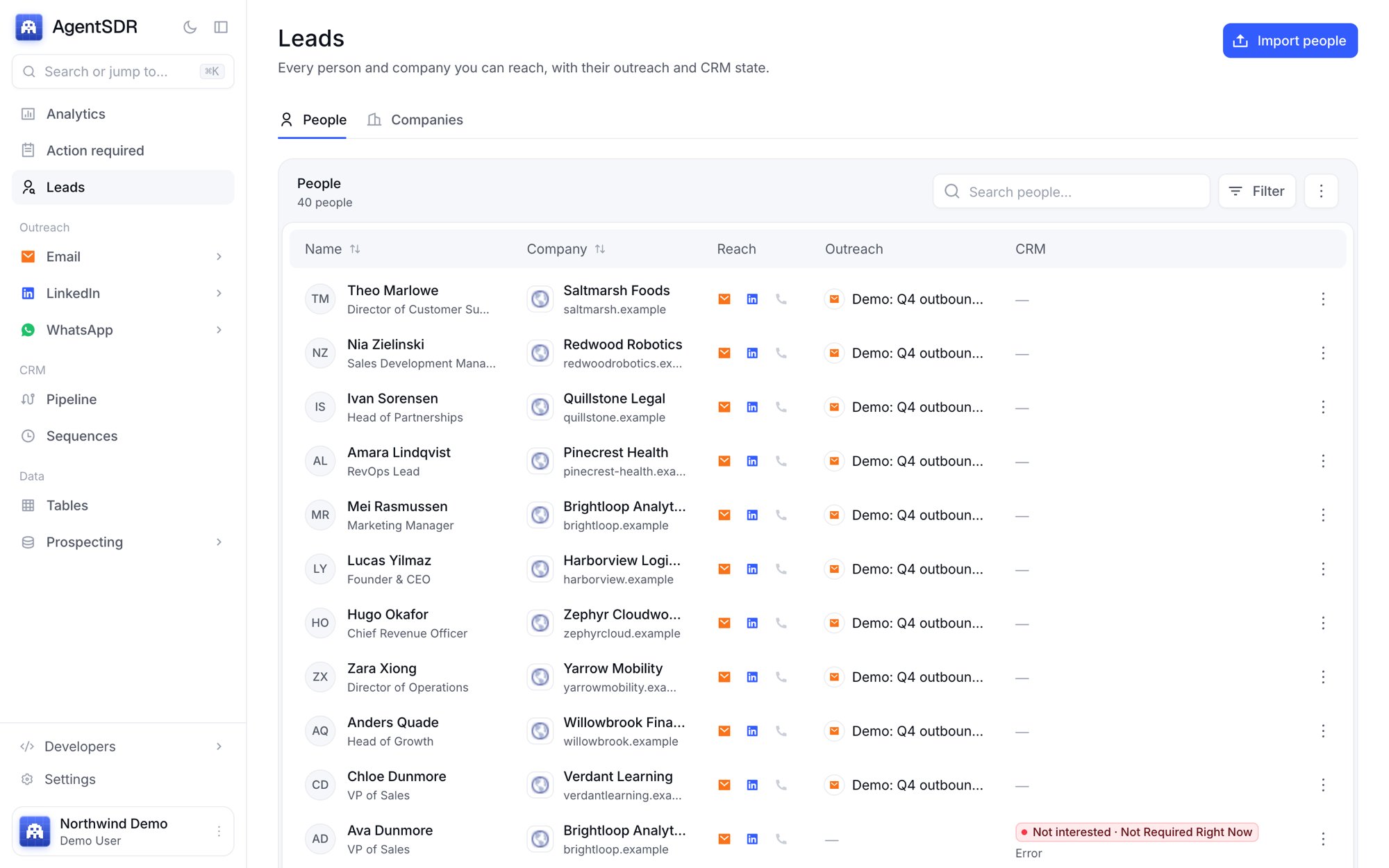
AgentSDR does the work of a sales development team. It stores the people you sell to, reaches them on email, LinkedIn and WhatsApp, and when they reply it reads the message, sorts it, drafts the next one and keeps follow-ups on time. You approve what goes out.
Most outbound setups stitch together a lead database, an enrichment tool, an email sequencer, a LinkedIn tool, a dialer and a CRM, each with its own copy of your leads. AgentSDR keeps one lead record per person, so a reply on LinkedIn shows up in the same queue as everything else.
## Who it is for
* **Founders and small sales teams** who want outbound running without hiring an SDR team or paying for six tools.
* **Revenue and growth teams** who want prospecting data, conversations and AI in their own database.
* **Agencies and operators** who run outreach for several organizations from one deployment.
## Open source, self-hosted, your keys
AgentSDR is released under the AGPL-3.0. You run it yourself: one Next.js application on one PostgreSQL database, with no hosted service in the middle. Your leads, conversations and recordings stay in infrastructure you control.
You bring your own accounts. Each organization connects its own Google Workspace, Unipile, Cloudflare R2, OpenRouter and enrichment keys inside the app, so there are no seats or per-contact fees from AgentSDR. You pay for your server and for the services you connect.
## The loop
Import a CSV or spreadsheet, or build a list in Tables. Every person and company lands in one lead database.
Tables fills in emails, phone numbers and company data from the enrichment providers you connect, and AI columns research or write per row.
Campaigns send from your own mailboxes, LinkedIn accounts and WhatsApp numbers, inside sending hours and daily limits that protect those accounts.
Replies from every channel land in one queue. AI classifies each one, shows its reason and drafts an answer.
You review drafts, the pipeline moves, and Analytics shows which channels turn conversations into meetings and customers.
 ## Where to go next
From a running instance to your first reply.
Organizations, leads, channels and the rules that protect your accounts.
People and companies, imports and custom fields.
Build and enrich lists, with AI columns.
Sequences from your Google Workspace mailboxes.
Connection requests and messages through Unipile.
Message campaigns and recorded calls.
Classification, drafts, Action required and the pipeline.
Replies, meetings and customers by channel.
Install AgentSDR and configure it.
This documentation is built and hosted on [Mintlify](https://mintlify.com), a developer documentation platform.
## Where to go next
From a running instance to your first reply.
Organizations, leads, channels and the rules that protect your accounts.
People and companies, imports and custom fields.
Build and enrich lists, with AI columns.
Sequences from your Google Workspace mailboxes.
Connection requests and messages through Unipile.
Message campaigns and recorded calls.
Classification, drafts, Action required and the pipeline.
Replies, meetings and customers by channel.
Install AgentSDR and configure it.
This documentation is built and hosted on [Mintlify](https://mintlify.com), a developer documentation platform.